Looking for advice on Lists:

okay guys, i’m looking for some assistance or a possible update on the LIst , particularly the POSITION number.

Currently I’m trying to figure out how to use the Position # as a new reference number for my own collection., and I’ve wondered if anyone has figured out a way to do that, with the integer limit in place

Or instance: as you guys may or may not know i have matchbox, maisto, and majorette as three of my big collection for DieCasts.

so when I first started with Diecasts (04) + SIX DIGITS FOR Brand (mat,mai, maj)+ 6 for model (porsche, pontiac, i.e.) which automatically puts me at 14 digits for just one category. (and god help me if i find another “D” primary category (dolls?))

So at the moment Diecast = 040900000000000 (Di{ecast}}
diecast matchbox = 0409130120000000 (Di{ecast} + Mat{chbox}
diecast matchbox/porsche = 0409130120151418 (DI{ecast} + Mat(chbox) + Por(sche)

so i’m using location code 0409130120161518 ←- (DI+MAT+POR) Diecast, Matchbox, Porsche, which means I’ve already broken the integer limit and if there’s a special subject, I can’t include it here (and obviously i can’t give it two position #’s).

Is there a way to convert the “Location column” to an decimal or alpha type format to allow it to organize lists even fuller than the library dewey decimal system?

So that 04130120161518 becomes 0409.130120151418

Or does anyone have that kind of organization system setup for their personal collection, or am i just dreaming an impossible dream at the moment (heck i know that there’s over 100 different primary categories, so this may be near impossible)

Hi, love creative use of what we build but am not sure what you try to do. Sort in Showcase, sort in Collection Management or where? Please tell me what you try to achieve and I will think of how to do it.

Josh, i”m trying to arrange it .. so all my lists go in order. I was hoping the location field worked, but as it’s limited by Integer functionality in computer programming I can’t use it.

Category 4: Diecast Cars:
Category A : Main Theme: Movie
Sub-Category B: Jurassic Park
Movie 1: Jurassic Park
Diecast: Hot Wheels
Car #1: INGEN Helicopter
Car #2: Jeep Wrangler
Maisto
Car #1: Land Rover Discovery
Matchbox
Car #1: INGEN Helicopter
Car #2: Jeep Wrangler
Car #3: Land Rover Discovery
Movie 2: Jurassic Park: The Lost World
Greenlight
Car #1
Hot Wheels
car #1
Matchbox
Car #1
Car #2
Car #3
Car #4
Car #5
..etc…

For it to work I just may have to make up an entire data-set for various categories

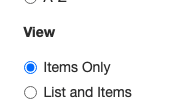
Yes, position is a number only field. I thought you used the new Folder view. You are using the legacy view

Go to Settings and change this

Then check my Showcase for Model Cars and see how you can go down n-levels.

Let me know what you think!

Yes, position is a number only field. I thought you used the new Folder view. You are using the legacy view

==========

Folder View? Did i miss something somewhere? Or am i just being an old curmedgeon :stuck_out_tongue:

I will write a Help page comparing the two views and explain how to set them and post it here, sometimes next week.

Here is the explanation of what is different and how to toggle (you can as easily toggle back) - hobbyDB Help